- Tactile switches (Brown, Clear) are the best starting point for beginners — feedback without excessive noise.
- The Keychron K2 is the most recommended first mechanical keyboard due to its Mac/Windows compatibility and value.
- Mechanical keyboards last 50–100 million keystrokes vs 5–10 million for membrane keyboards.
Ready to upgrade from the mushy keys of a standard keyboard to the crisp, satisfying tactile feedback of mechanical switches? This beginner’s guide covers everything you need to know about choosing the best mechanical keyboard for beginners.
What Makes Mechanical Keyboards Different?
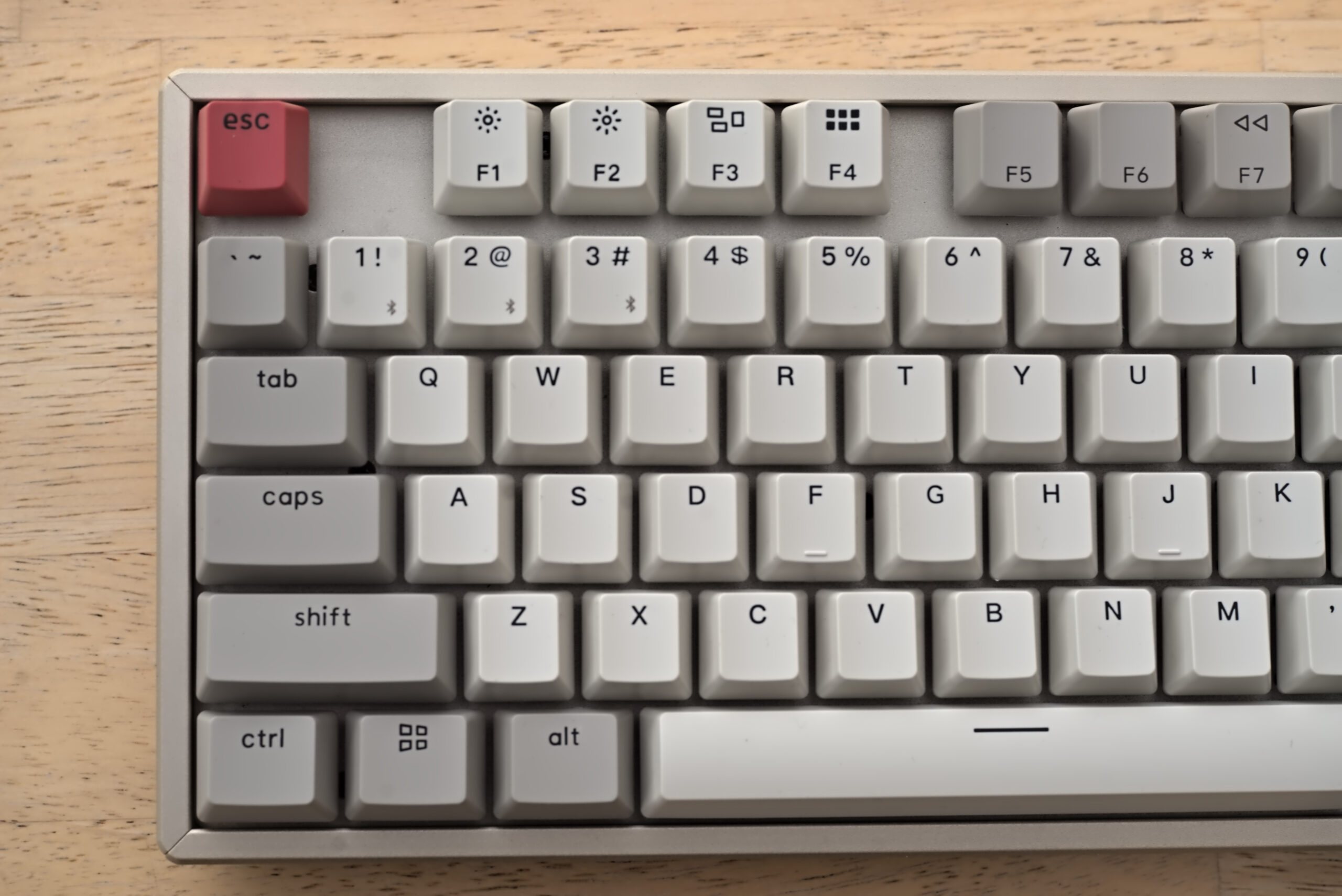
Unlike membrane keyboards with a single rubber dome, mechanical keyboards use individual switches under each keycap. This provides superior tactile feedback, longer lifespan (50-100 million keystrokes vs 5-10 million), more consistent response times, and extensive customization options.
Understanding Switch Types

Linear Switches
Smooth, consistent keystrokes without any tactile bump. Ideal for gaming where quick, precise inputs are crucial. Great for fast typists who want a clean, uninterrupted feel.
Tactile Switches
Feature a subtle bump sensation at the point of actuation. Excellent balance between gaming performance and typing comfort — the best all-around choice for most users.
Clicky Switches
Produce an audible “click” along with a tactile bump. Incredibly satisfying for typists but can be distracting in quiet environments. Best for dedicated home office setups.
Top Beginner Picks
Keychron K2 — Best Overall
One of the most popular beginner keyboards for good reason. Compact 75% layout, multiple switch options, RGB backlighting, and excellent build quality. Compatible with both Mac and Windows. View on Amazon
Logitech G213 — Best for Gaming
Reliable performance with a comfortable key travel distance, RGB lighting, and programmable keys. A solid entry point for gaming and productivity. View on Amazon
Anne Pro 2 — Best for Wireless
Premium build quality with Bluetooth and 2.4GHz wireless connectivity. Excellent for those who want a clean, cable-free desk. View on Amazon
Tips for Choosing Your First Keyboard
- Budget: Quality beginners’ boards range from $80-$150
- Switch Type: Start with tactile switches for a good all-around experience
- Form Factor: TKL (no numpad) saves desk space; 75% is even more compact
- Connectivity: Wired for lowest latency; wireless for a cleaner setup
Our Pick
For versatility and value, the Keychron K2 is hard to beat. It’s the keyboard most beginners end up loving — and often their last “starter” keyboard. View on Amazon